
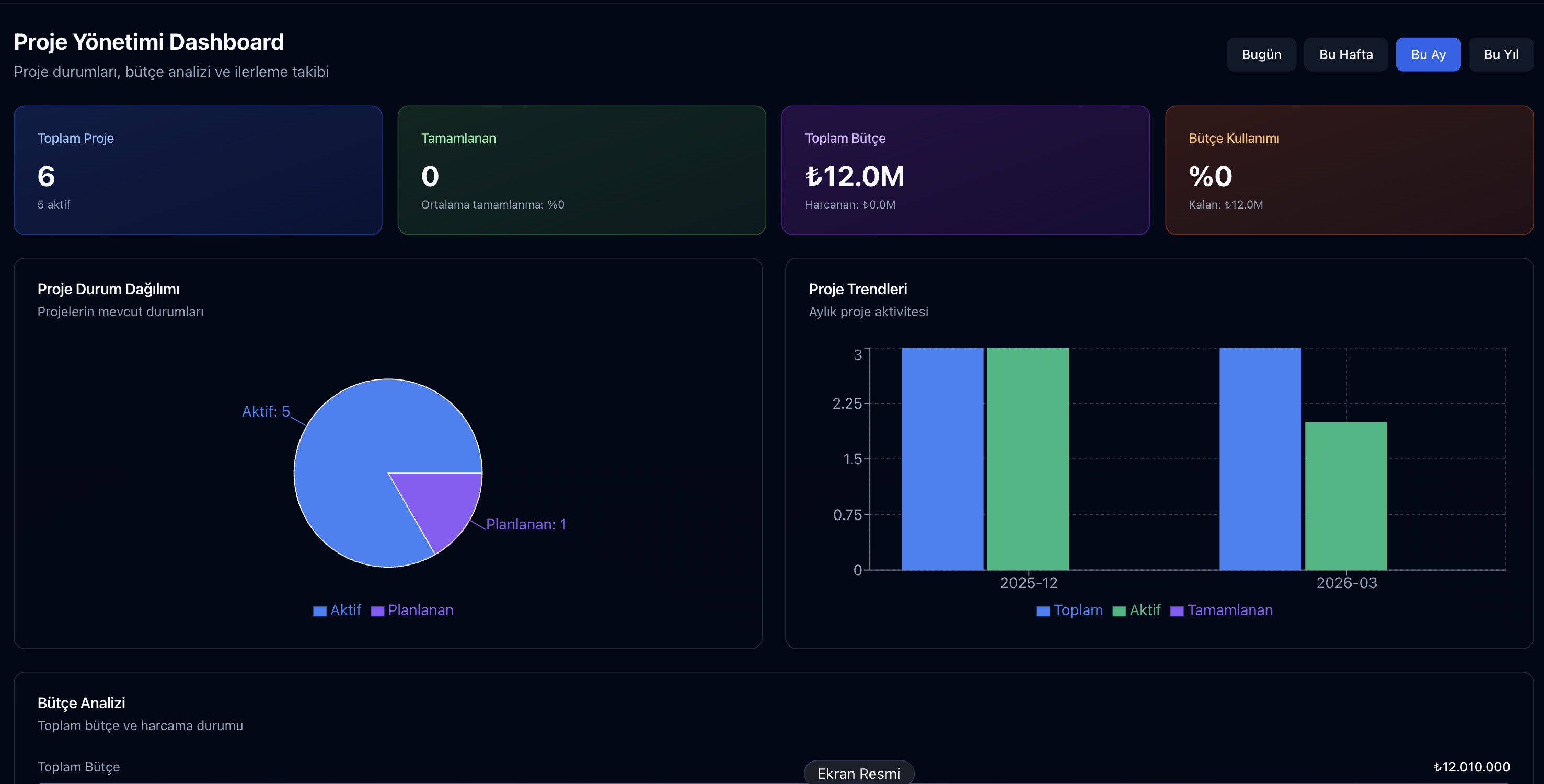
Parsek Construction Site Management module enables construction companies to manage their multiple projects, subcontractors, teams, and daily operations from a single centralized panel. With real-time data flow from the construction site to the office, it eliminates the disconnect between financial control and technical control.
Why Do You Need a Construction Site Management Module?
One of the biggest sources of efficiency loss in the construction sector is the inability to transfer operations from the construction site to the office in a timely and accurate manner. Fragmented data in Excel spreadsheets, scattered reports in WhatsApp groups, and delayed `hakediş` (progress payment) approvals lead to both cost overruns and work schedule deviations.
Parsek Construction Site Management gathers every step of the project, from the discovery phase to provisional acceptance, on a single digital backbone. Site manager, project manager, financial advisor, and general manager all see the same data in real-time, at different authorization levels.
Key Features
Multi-Project Management
Unlimited number of construction sites, sub-projects, and stages. Separate scope, contract, and hakediş tracking for each project.
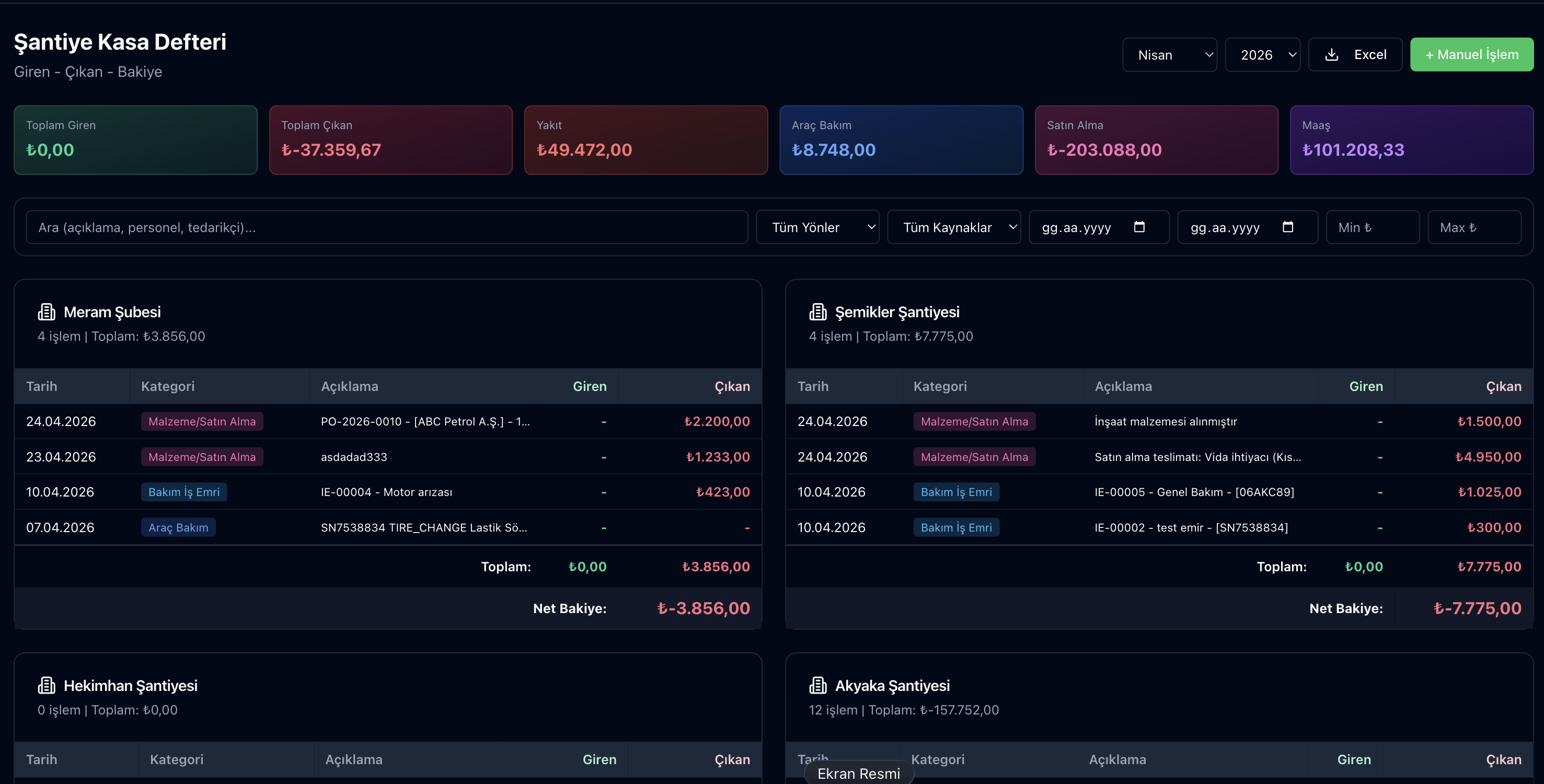
Construction Site Cashbook
Separate cash movement, expense item, and approval flow for each construction site. Instant head office reporting.
Subcontractor Tracking
Each `taşeron` (subcontractor)'s contract, hakediş, performance score, and current account on a single screen.
Work Schedule (Gantt)
Activity dependencies, critical path analysis, and completion percentage.
Document Management
Licenses, technical specifications, drawings, and photos in a single project-related pool.
Mobile Field Access
Site manager enters reports, uploads photos, and approves hakediş from their phone.
Authorization Management
Role-based access: General manager sees everything, while the site manager only sees their own construction site.
KVKK Compliant
All data is hosted in Turkey, and audit logs are automatically maintained.
How It Works?
Try this free for 14 days. No credit card required.
Try Free →Step 1 — Define the Project
When you add a new construction site, you enter contract details, discovery amount, site handover date, and responsible personnel into the system. The system automatically creates a project cashbox, hakediş calendar, and document folder.
Step 2 — Assign Teams and Subcontractors
You link personnel, subcontractors, and suppliers to the project. Each person's role, contract amount, and KVKK approval are recorded.
Step 3 — Automatically Collect Data from the Field
The site manager enters daily `puantaj` (timesheet/attendance tracking), material consumption, and photographic field reports via the mobile application. The data is instantly visible at the head office and processed for hakediş and payroll.
Who Is It Suitable For?
- Construction `müteahhit` (contractors): Medium and large-scale contracting firms managing multiple construction sites simultaneously.
- Turnkey project firms: For large-scale projects such as housing, shopping malls, factories, and hospitals.
- Infrastructure and highway contractors: In multi-location control requiring infrastructure projects.
- Industrial plant projects: In the coordination of multi-disciplinary (mechanical, electrical, construction) projects.
Frequently Asked Questions
Can I import my existing Excel spreadsheets into the system?
Yes. Project, contract, subcontractor, and historical hakediş data are bulk imported using Excel templates. For data migration, contact our support team.
Does the system work if there's no internet at the construction site?
The mobile application works in offline mode; all entered data is automatically synchronized when the connection is restored.
I have multiple companies; can I combine them all into one account?
Yes, a multi-company structure is supported. Each company operates in isolation, and consolidated reports can be retrieved from a single screen.
How are provisional/final acceptance processes managed in the system?
The system automatically sends a reminder 10 days before the provisional acceptance date; acceptance committee reports, aesthetic value deductions, and collateral tracking are managed from a single screen.
Does the site manager only see their own construction site?
Yes. Role-based authorization ensures that each user only has access to data for the projects they are authorized for.
Digitize Your Construction Site Management Today
Try this free for 14 days. No credit card required.
Try Free →End the reliance on Excel spreadsheets and scattered WhatsApp groups. Try the Parsek Construction Site Management module for 14 days free; for data migration, contact our support team.