
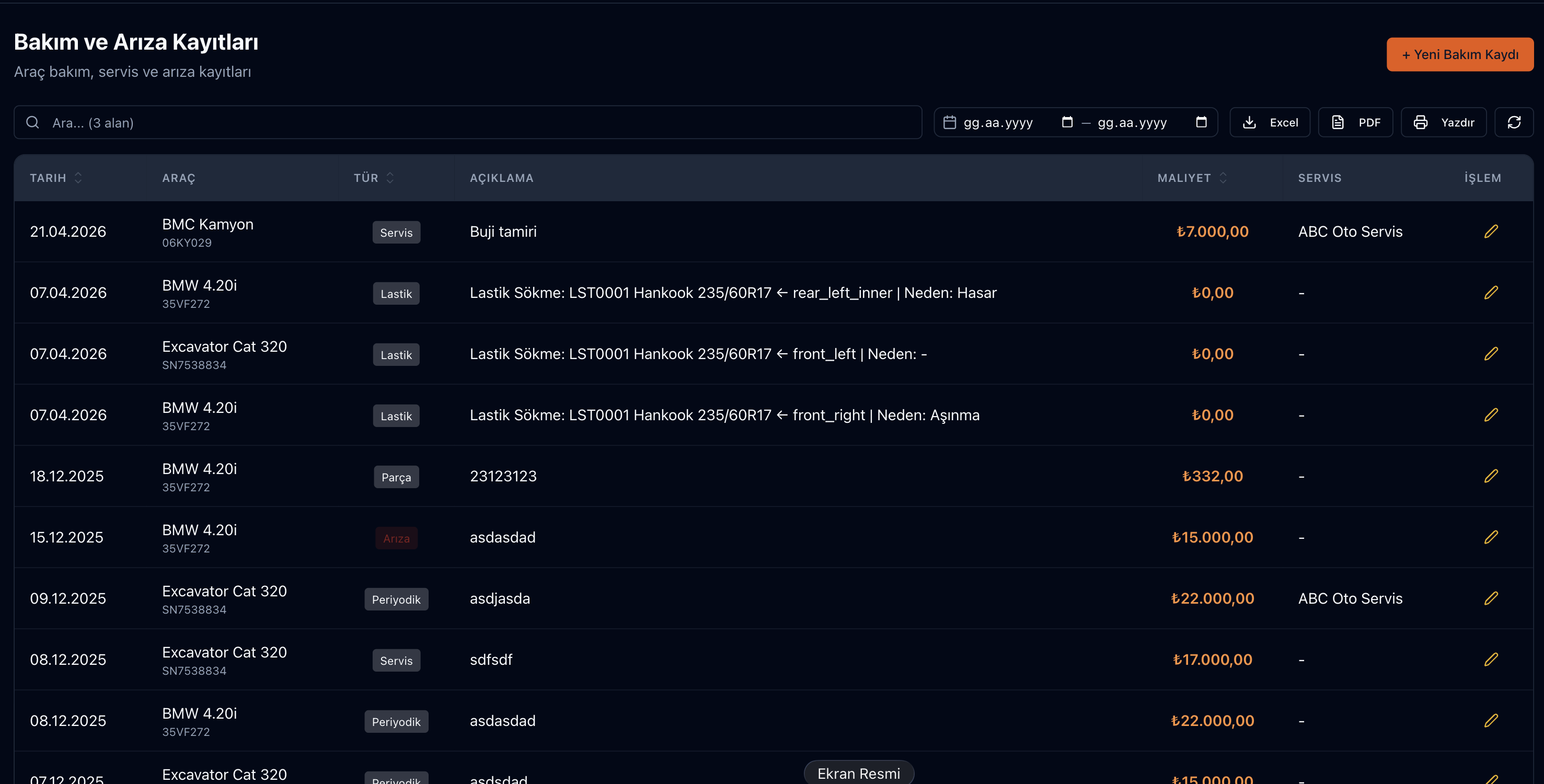
The Parsek Maintenance & Breakdown add-on manages maintenance plans, the maintenance calendar and work orders for your vehicles, heavy machines and production work centres. Spare parts, labour, a checklist and external service details are added to work orders opened from a fault report or from the calendar; cost is posted to the branch, the project and the current account in one transaction.
Put Faults on Record and Maintenance on the Calendar
When a fault is reported by phone, which part was used, who did what and how long the vehicle stood idle go unrecorded. In Parsek every fault is a work order: priority, category, assignee, parts used, labour, root cause and resolution note and downtime are kept in the same record.
Key Features
Maintenance Plans
Time-based (days), km-based or hour-based intervals; each plan can carry a checklist, required parts, estimated duration and estimated cost.
Maintenance Calendar
Plans are linked to vehicles; last and next service date, km and hours are tracked. Managers get an in-app notification and e-mail 7 days before a service is due.
Automatic Work Orders from the Calendar
When enabled in settings, one preventive work order is opened automatically each day for every calendar entry whose date, km (from the work log) or operating hours have come due.
Fault Reports
A user reports a fault by choosing the vehicle / machine, location, category and priority; a work order is opened and managers are notified.
Work Order Management
Breakdown (corrective), preventive and periodic work orders; assignee, checklist, comments, root cause and resolution note, downtime. A reason is required for cancellation.
Spare Parts from Stock
Parts are withdrawn from the selected depot’s stock; for external service, parts are entered manually. A part line can be marked as under warranty, and the equipment’s part history is shown on the work order.
Labour and External Service
A line with an employee selected is internal labour (paid through payroll). External service fees and labour are posted to the supplier’s current account; incoming e-invoices are matched to the work order.
Approval and Cost Summary
A work order above the approval threshold cannot be completed without approval. The dashboard shows open / completed work orders, overdue maintenance, average and total downtime, parts-labour-external service cost for the last 6 months, and the vehicles with the most maintenance.
How It Works
Try this free for 14 days. No credit card required.
Try Free →1. Set up plans and the calendar
Define the interval under Bakım › Bakım & Arıza › Bakım Planları and link the plan to vehicles; due dates appear in Bakım Takvimi.
2. Report a fault or open a work order
Start with a fault report or a new work order; fill in parts, labour and the checklist on the work order.
3. Complete and track
Current km / engine hours can be entered on completion; the calendar moves to the next interval and the cost shows on the dashboard and in the vehicle’s cost.
Frequently Asked Questions
Which equipment can it be used for?
Vehicles and heavy machines in the vehicle list, and work centres in the production module. Fault categories are defined for your company in the Kategoriler tab.
Is there a sensor or telematics integration?
No. Km and operating hours come from the work log; if you use the Arvento Fleet Tracking add-on, the work log is filled automatically with GPS mileage and engine hours.
Can I charge maintenance cost to a construction site?
Yes. If a project is selected on the work order, the cost is posted to the project’s actual cost; the branch expense and the external service payable are created in the same transaction.
How does approval work?
In settings you set an approval threshold in TRY (excluding VAT) and a re-approval percentage; a work order above the threshold, or exceeding the approved amount by more than that percentage, cannot be completed without being sent for approval. You cannot approve your own work order.
I provide periodic maintenance to customers. Can I track contracts?
Yes. In the Bakım Sözleşmeleri tab you define a contract with the customer, interval, vehicle or facility asset and fee per service; planned services are linked to work orders, and an e-invoice draft can be prepared automatically for each completed service.
Can I migrate my old maintenance records?
There is no ready import template for maintenance records; vehicle and material cards can be bulk imported from Excel. For data migration, contact our support team.
Every Service with Its Record, Parts and Cost
Planned maintenance on the calendar, faults as work orders; parts from stock, cost to the branch and the project in one flow.