
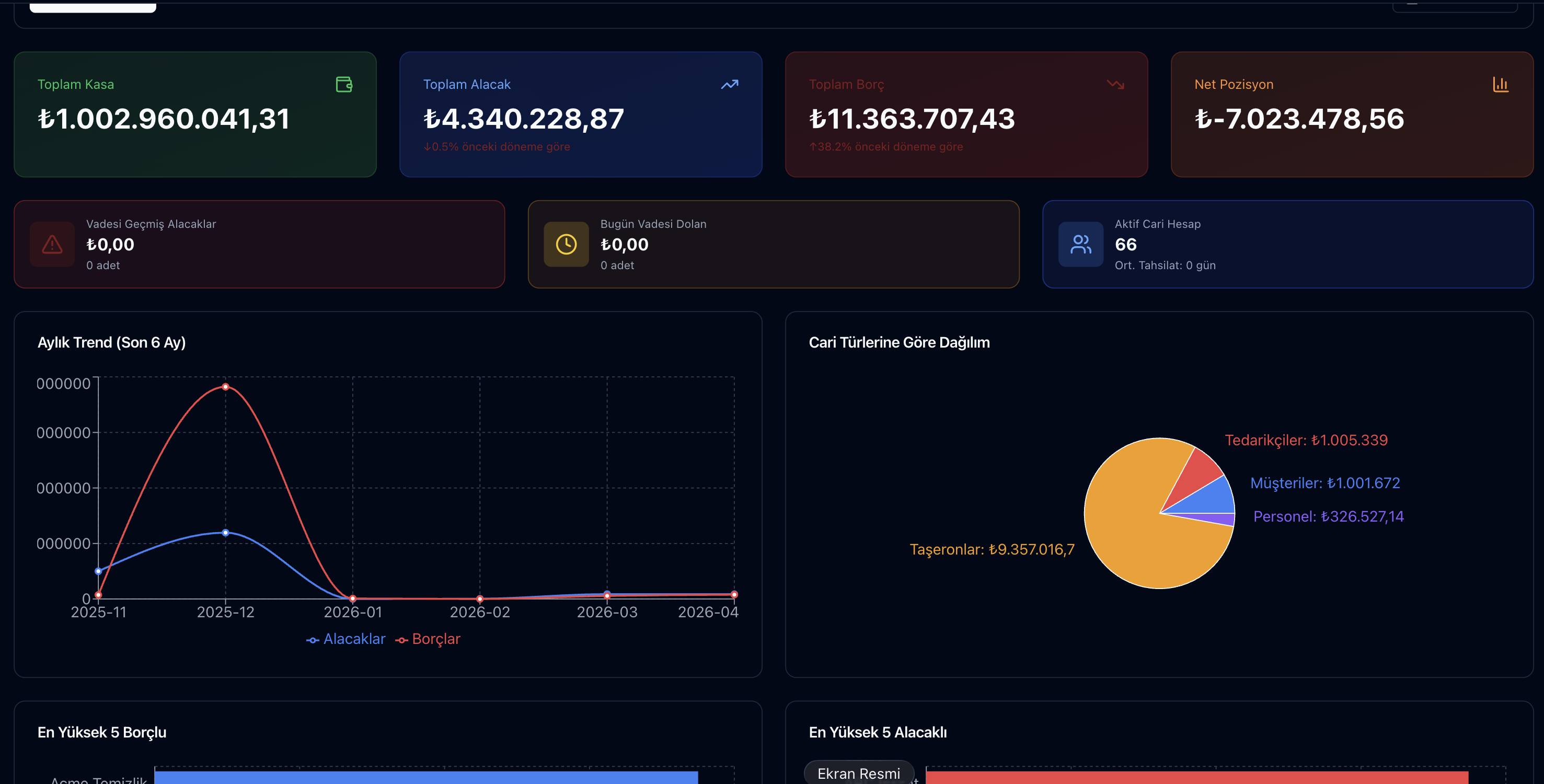
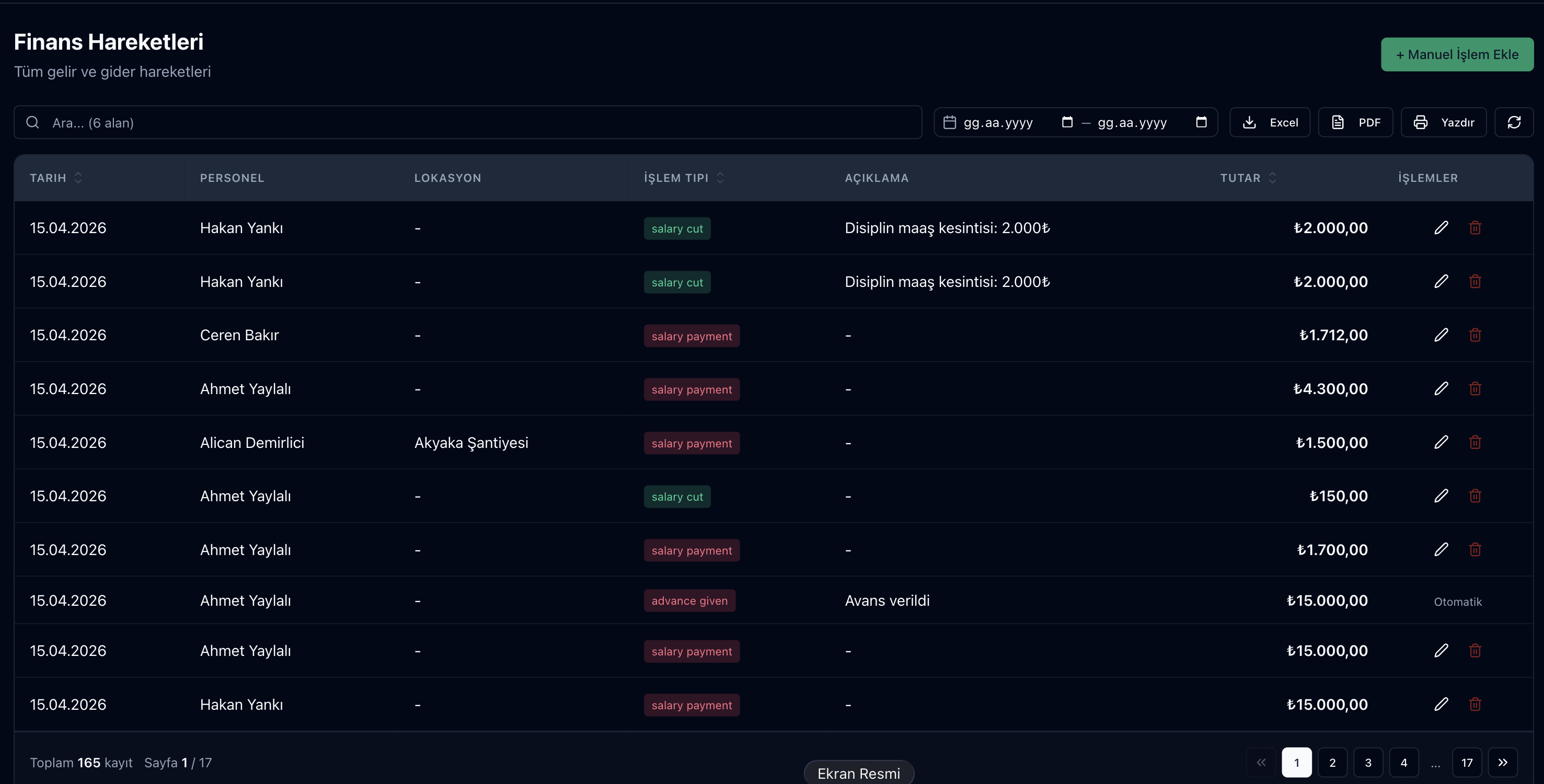
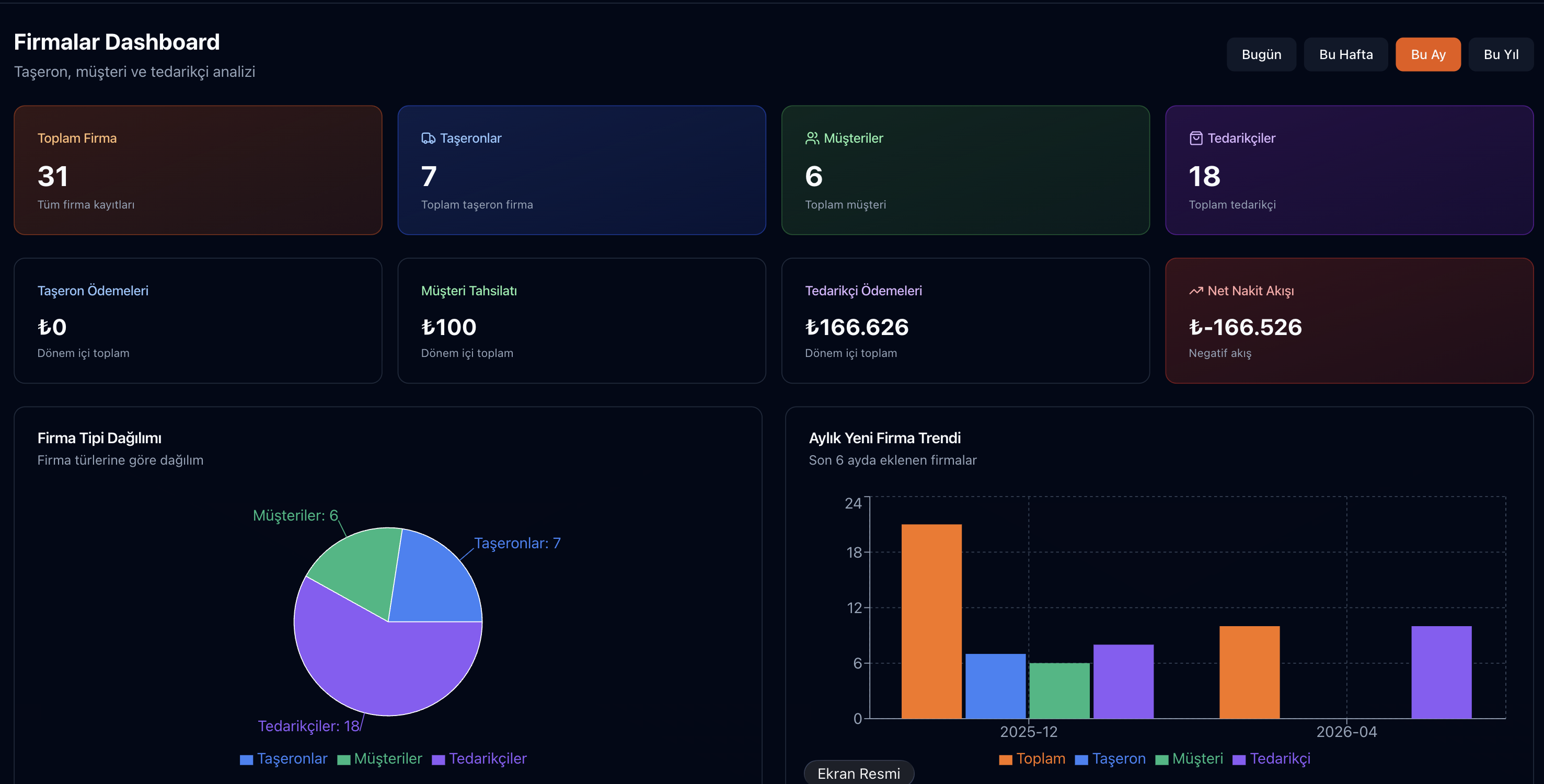
The Parsek Accounts & Finance module brings customer/supplier/subcontractor/employee accounts, cash and bank movements, cheque and promissory note tracking and cash flow projection into one central finance backbone. Due date tracking, account aging, bank statement reconciliation and balance confirmation letters are in the same place.
Financial Visibility = Decision Speed
In a construction company, a manager who can get the answer to the question "How much cash do I have today, and what will come in and go out in the next 30 days?" within minutes makes the right decision at the right time. This is not possible with Excel. The Parsek Finance module becomes the manager's "financial oracle" with its real-time cash flow projection.
Key Features
Unlimited Current Accounts
Customer, supplier, subcontractor (taşeron), and personnel current accounts; with detailed debit-credit statements for each.
Multiple Cash & Bank Accounts
Construction site cash registers, main cash register, foreign currency cash register, unlimited bank accounts; each with separate balances and transaction histories.
Open / Closed Invoices
Deferred (open) and upfront (closed) invoices are managed in separate categories; they close automatically upon payment.
Check & Promissory Note Tracking
Tracking of checks and promissory notes received/given, due dates; endorsement/collection portfolio at the bank.
Cash Flow Projection
Estimated cash inflow and outflow for the next 30/60/90 days; includes risk warnings.
Account Aging
Receivables and payables in not yet due, 1–30, 31–60, 61–90 and 90+ day buckets; CSV export.
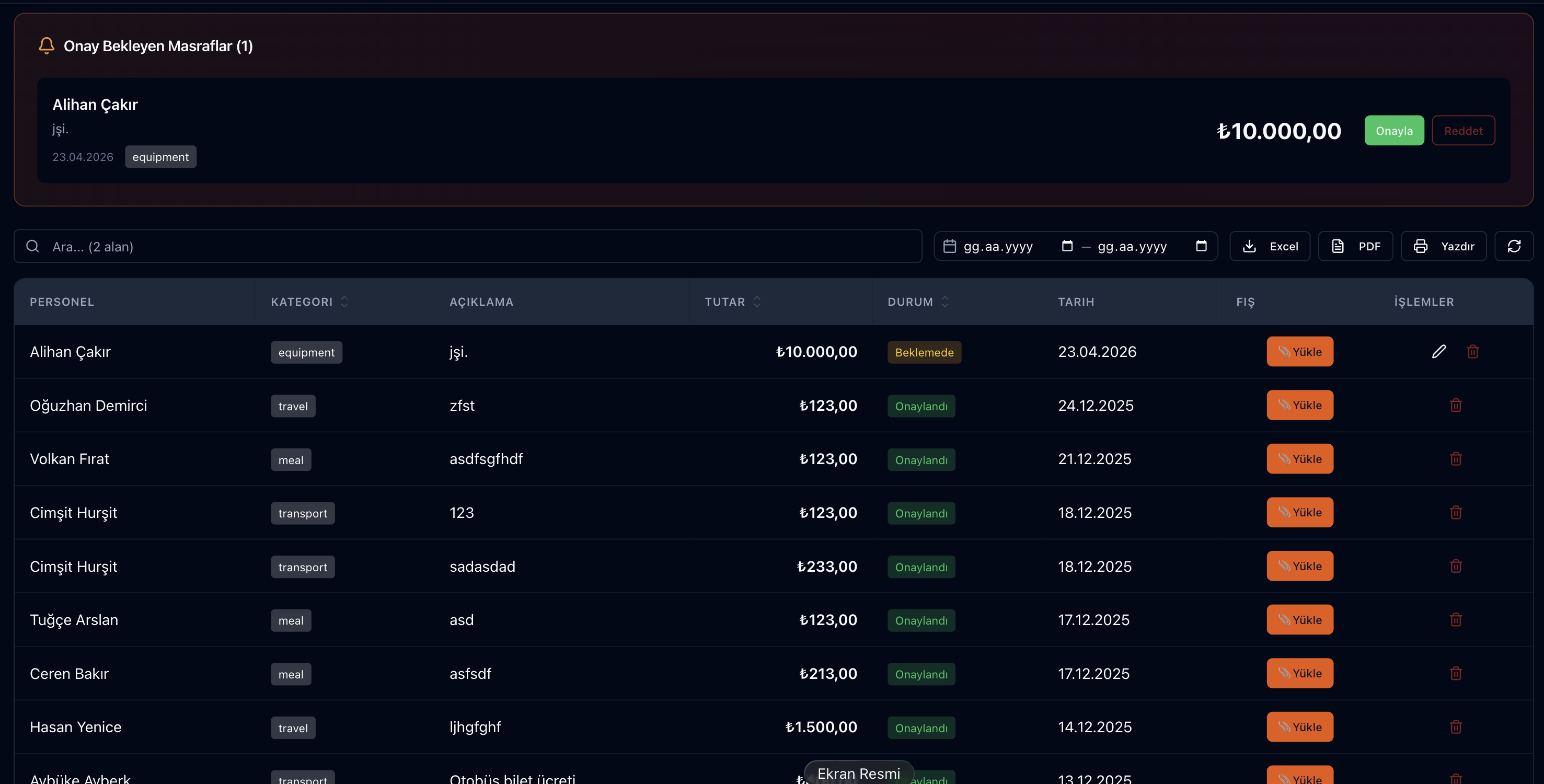
Advance Payment Management
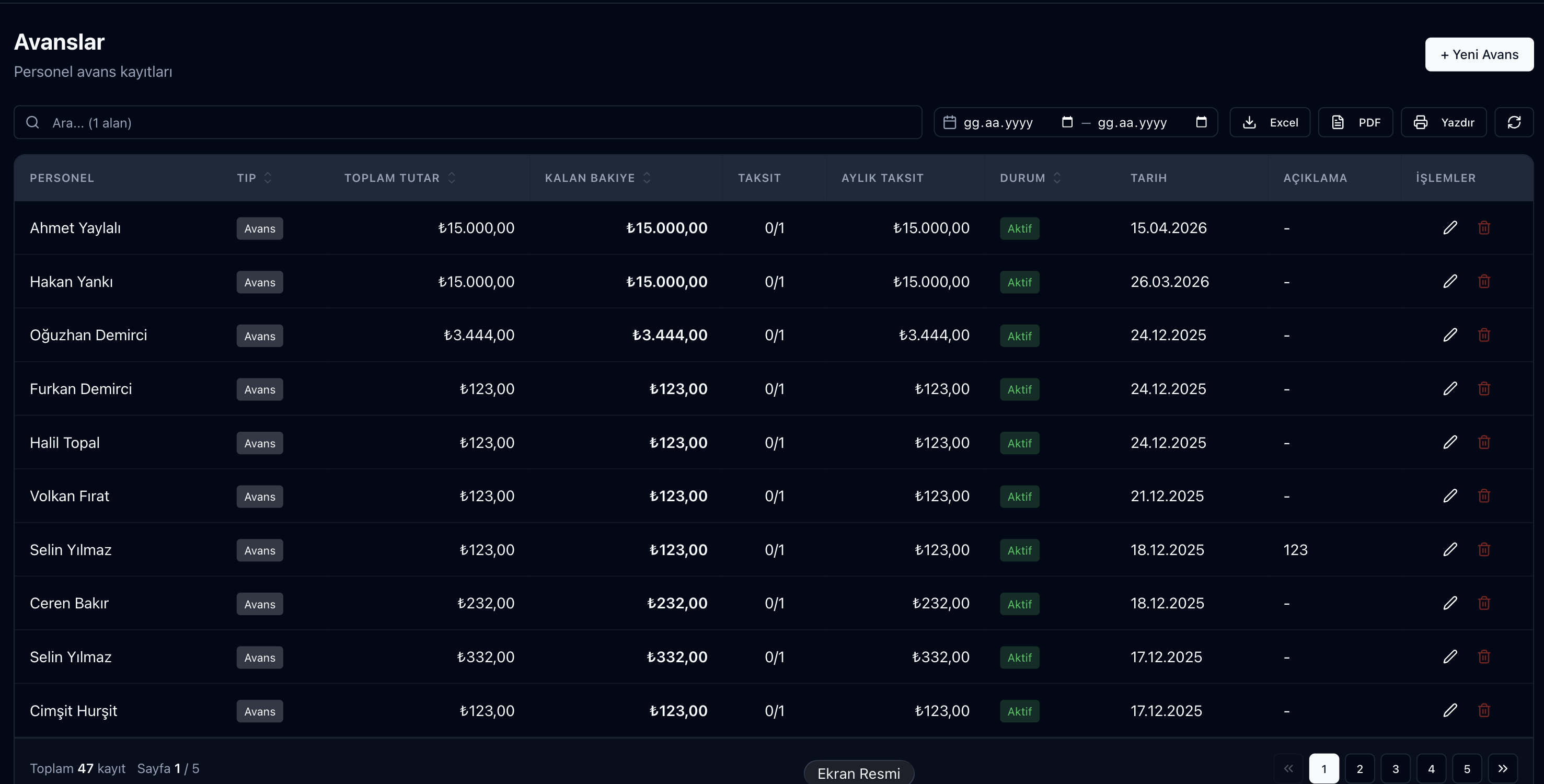
Tracking of advance payments made to personnel/subcontractors (taşeron), with automatic deduction from progress payments (hakediş) and salaries.
Multi-Currency
Supports TL, USD, EUR, GBP. Instant currency conversion and automatic recording of exchange rate differences.
Bank Statement Reconciliation
Upload an Excel, CSV or MT940 statement and match the lines; no bank API needed. Details
Period Lock
When your accountant closes a period, block adding or changing records dated on or before it; corrections are made with reversing entries.
Financial Operations
Try this free for 14 days. No credit card required.
Try Free →Opening an Account
When adding a customer or supplier, the tax ID / Turkish ID check digit is validated and e-Invoice registration can be queried; the payment term is set on the card. The statement is always real time.
Invoices & Documentation
Open invoices (deferred, unpaid → current account debt) and closed invoices (upfront) are managed separately. It works integrated with the e-Invoice (e-Fatura)/e-Archive (e-Arşiv) module; Revenue Administration (GİB) approval is automatically tracked.
Collections & Payments
Collection receipts, vouchers, check, and promissory note transactions can be entered from a single form. When a payment is made, the corresponding invoice automatically closes; the list of "outstanding" amounts is always up-to-date.
Site Cash Movements
Each site can have its own cash box. Site expenses (meals, material purchases, small repairs) are recorded with a category and reported by branch and project.
Advances & Offsetting
Advances given to personnel or subcontractors (taşeron) are recorded; automatic offsetting is applied in the subsequent payroll or progress payment (hakediş). An aging report for outstanding advances is also available.
Cash Flow Projection
Current balance + pending collections (by due date) − pending payments = projection. The system generates a 30/60/90-day graph and provides warnings for weeks with a risk of falling into a negative balance.
Frequently Asked Questions
How do bank transactions get into the system?
Upload the Excel, CSV or MT940 statement you download from your bank under Kasa & Banka › Banka › Ekstre Yükle / Mutabakat and match it to accounts, expenses or transfers. Contact us for a direct bank connection.
Is the tax ID validated?
Tax ID and Turkish ID check digits are validated; e-Invoice registration can be queried from the GİB list.
How do I protect records after a period is closed?
With Period Lock under Ayarlar › Finans Ayarları, invoice, account, cash/bank, cheque/note and stock records dated on or before the selected date cannot be added or changed; corrections are made as reversing entries dated today.
Is the accounting entry for exchange rate differences automatic?
Yes, for foreign currency invoices or checks, the exchange rate difference arising at the time of collection is automatically recorded as income or expense.
Can my accountant review the system?
You can create a user for your accountant with access only to the screens they need. The Accounting Bridge produces trial balance, ledgers, journal and export files for Luca / Mikro / Logo / Zirve; the e-Ledger is not kept in Parsek. Accounting Bridge
Accelerate Your Financial Decisions
Which supplier can I pay today? Which customer has exceeded their due date? Will I face cash flow challenges next month? All answers are available on a single screen.