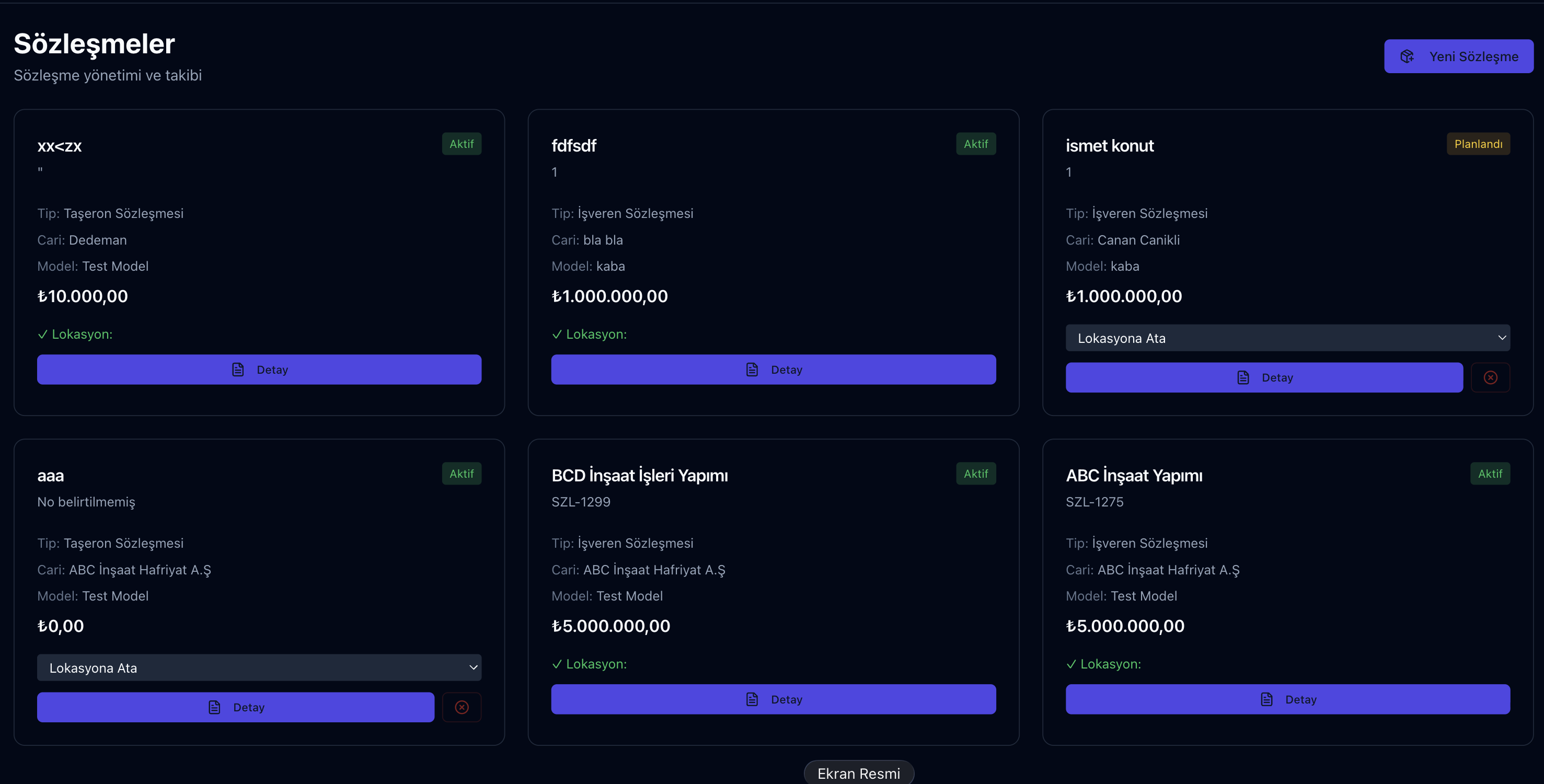
Parsek keeps contracts in two places: Proje Yönetimi › Sözleşmeler links employer and subcontractor contracts in construction work to progress payments, and Teklif & Satış › Müşteri Sözleşmeleri manages service, maintenance and sales contracts with customers through templates, approval and renewal tracking.
Missed Dates, Unapplied Clauses
A contract whose end date slips by, a penalty clause that is never applied or an unapproved addendum turns straight into cost. Parsek records the parties, amount, dates and changes of each contract; in project contracts, deductions and penalties flow into progress payments, and in customer contracts the end date drives reminders.
Key Features
Employer and Subcontractor Contracts
A project contract is opened as an employer contract (we are the contractor) or a subcontractor contract (we are the employer); parties are added with the roles employer, contractor, subcontractor and consultant.
Payment Type and Financial Terms
Unit price (TBF) or lump-sum turnkey (ATGB); in simple mode man-day, monthly or lump sum. VAT rate, withholding class, stoppage category, retention and the price adjustment formula (public 2013/5217 or custom) are defined; currency TRY, USD or EUR.
Items and Work Changes
The bill of quantities is imported from the tender estimate or from a file; work increases, decreases and cancelled work are applied to the contract after approval.
Addenda
Price updates, quantity changes, time extensions and scope changes are recorded as addenda and stay pending until approved.
Deductions, Penalties and Progress Payments
11 deduction types such as materials, meals, fuel and social security retention, plus delay, quality and safety penalties; an active penalty is deducted in the next progress payment. Employer contracts get a payment schedule and draft invoices.
Customer Contract Templates
Four ready-made templates (service, maintenance and technical support, sale / supply of goods, construction works) plus the company’s own; company, customer, date and amount data flow into the text through 24 merge fields, and a letterhead PDF is produced.
Approval, Signature Status and Customer Approval
A customer contract goes to internal approval. Once approved, it is e-mailed to the customer in one click; the customer views the text and PDF from the link and approves by typing their name. Signature status (unsigned, sent for signature, signed) and a link to the signed file are recorded.
Reminders, Renewal and Termination
Owners are notified 90, 60, 30 and 7 days before expiry, and a renewal task is created 30 days before; contracts with auto-renewal roll over to a new term. Termination is recorded with a reason, and revisions are kept in the version history.
Contract Workflow
Try this free for 14 days. No credit card required.
Try Free →1. Open the contract
In the app, create project contracts under Proje Yönetimi › Sözleşmeler and customer contracts under Teklif & Satış › Müşteri Sözleşmeleri; a customer contract can also be created from an opportunity or a quote.
2. Complete terms and text
Enter parties, amount, dates and financial terms; for a customer contract, apply a template and preview it.
3. Approve and follow up
Approve addenda and work changes and calculate progress payments from the contract; for customer contracts, track signature status and expiry reminders.
Two Contract Areas
| Topic | Project contract | Customer contract |
|---|---|---|
| Menu | Proje Yönetimi › Sözleşmeler | Teklif & Satış › Müşteri Sözleşmeleri |
| Counterparty | Employer or subcontractor | Customer |
| Links | Items, progress payments, deductions, penalties, subcontractors | Opportunity, quote, template, letterhead PDF |
| Tracking | Approval of addenda and work changes | Internal approval, signature status, 90/60/30/7-day reminders, renewal |
Frequently Asked Questions
Can I add my existing PDF contracts?
Yes. A file and a link to the signed contract can be attached to a customer contract; amount, party and dates are entered manually. The text in the file is not read automatically.
How does auto-renewal work?
Auto-renewal and the renewal term (months) are set on the customer contract. After the end date, the system creates the contract for the new term; an approved contract renews as approved, an unapproved one as a draft. Contracts without auto-renewal are marked as expired.
If I change a contract, is the old version kept?
For customer contracts, a revision opens a new version; the old version and events (approval, signature, termination, renewal) stay in the version history. For project contracts, changes are tracked through addenda and work change records.
Who can see contracts?
Access is role-based: project contracts follow Project Management permissions, customer contracts follow Sales permissions (view, create, edit, approve, delete). Users without financial permission do not see project contract amounts.
Can I invoice from a contract?
For employer contracts, draft invoices are created from payment schedule items or directly; the invoice posts a receivable to the customer account and, if an e-invoice provider is set up, is sent through the e-invoice flow. Customer contracts do not create invoices automatically.
Contracts, Progress Payments and Dates Together
Try this free for 14 days. No credit card required.
Try Free →Project contracts drive progress payments; customer contracts drive approvals and the renewal calendar.