
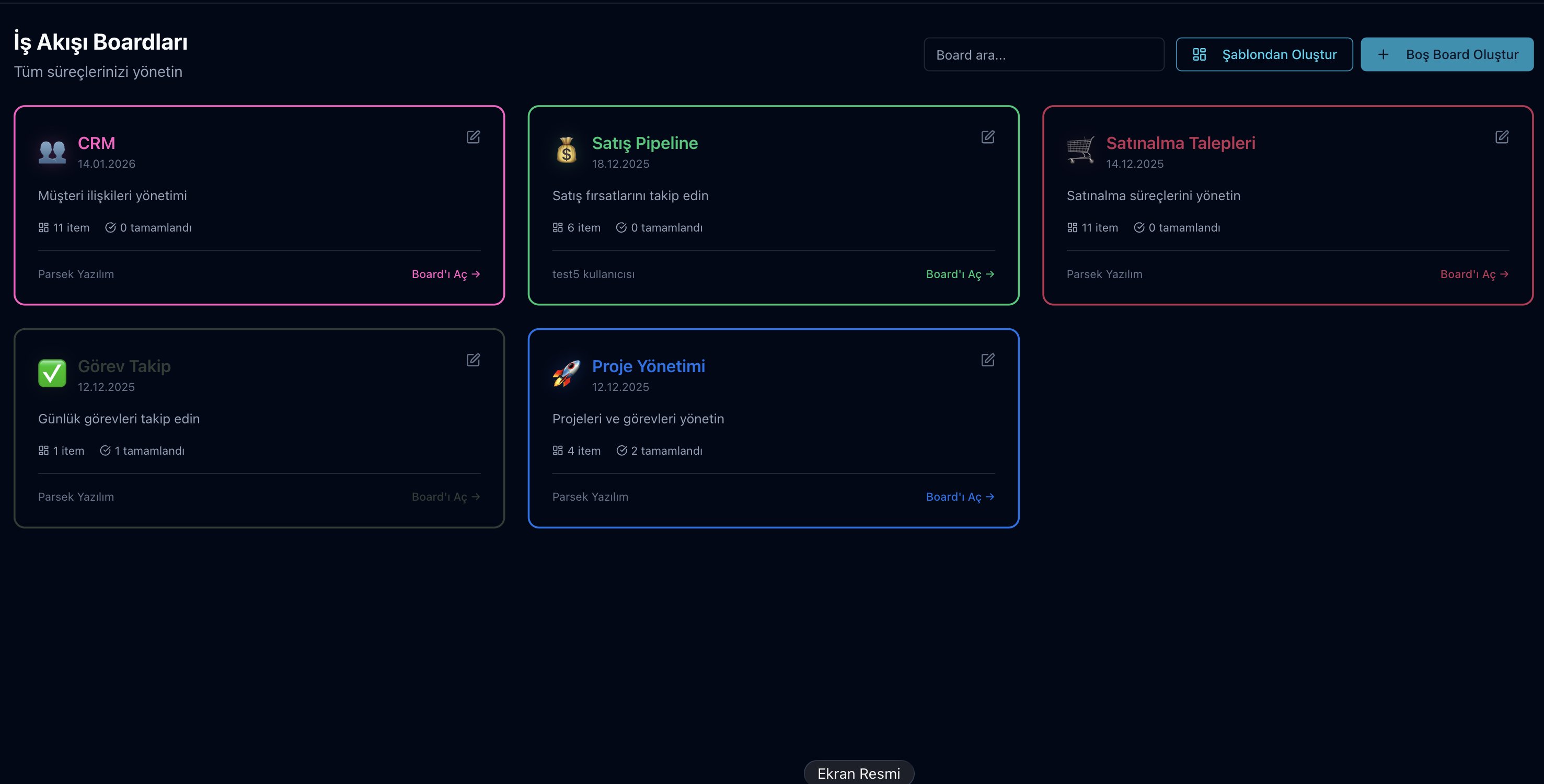
The Parsek Workflow add-on lets you manage every process on boards, from sales opportunities and purchase requests to site work and internal tasks. Cards are followed in table, Kanban, calendar or timeline view; no-code automation rules send a notification, assign a person or create a new card when a status changes.
Does Work Get Lost Somewhere?
A customer waiting for a quote, a request waiting for approval, a subcontractor missing paperwork — when work stays in a spreadsheet or a chat group, nobody knows who has it. On a board every job is a card; its status, owner and date are where everyone can see them.
Key Features
Ready-Made Templates
Sales Pipeline, CRM, Project Management, Task Tracking, Purchase Requests, Site Tracking, Equipment / Vehicle Maintenance, Progress Payment Tracking, Recruitment, Support / Request Tracking and Content Calendar — with columns, views and sample automations.
16 Column Types
Status, text, number, date, date range, person, single and multi select, checkbox, link, phone, e-mail, location, star rating and file.
Four Views
Follow the same cards in Table, Kanban, Calendar and Timeline views, and save your views.
Kanban and WIP Limit
Drag and drop cards between columns; on phones and keyboards there are move buttons. A work-in-progress (WIP) limit can be set per column; when it is reached you get a warning or the move is blocked.
No-Code Automation
Build a rule by choosing "When" (status or value changes, a person is assigned, a card is created, N days before a date) and "Do" (send notification, change status, update field, assign person, create new card); run history is visible.
Card Panel
Card name and values, comments, change history ("Status: To do → Done"), subtasks and file attachments in one panel.
Board Permissions
Viewer, Editor and Owner roles; a board is open to the company or private to its members. Deleted boards and cards stay in the archive for 30 days and can be restored.
Linked to Parsek Records
Import customers, projects and purchase requests from Parsek into a board; when a sales card is marked "Won" you can open a customer and an account card. Boards can be exported to Excel.
How to Set Up Workflow
Try this free for 14 days. No credit card required.
Try Now →1. Create a board
Pick a ready-made template or start an empty board; a template comes with its columns, views and sample automations.
2. Set up columns and rules
Add the columns you need, define status options and the WIP limit, and build automations with "When / Do".
3. Work as a team
Add members and their roles; move cards, comment and complete subtasks. Notifications reach the right people in the app.
Automation Building Blocks
| Part | Options |
|---|---|
| When (trigger) | Status changes · Value changes · Person assigned · Card created · Date approaching (N days before) |
| Do (action) | Send notification · Change status · Update field · Assign person · Create new card |
| Notification recipients | People assigned to the card · Board owners |
Frequently Asked Questions
How many boards can I create?
The Workflow add-on does not apply a separate cap on the number of boards. A deleted board stays in the archive for 30 days and can be restored during that time.
Does setting up automation require technical knowledge?
No. You choose "When" and "Do" from menus and specify a column and value if needed. The automation history shows when a rule ran.
Can I migrate my data from Trello/Monday?
There is no direct import from these tools. Customer, project and purchase request records from Parsek can be imported into a board and cards can be exported to Excel; for data migration, contact our support team.
Is there e-mail integration?
No. An e-mail address can be kept as a column on cards, but no e-mail account is connected and no e-mail is sent from the board. Reminders and alerts arrive as in-app notifications.
How do permissions work?
Two layers: company role and board role. Administrators are owners on every board; the User role sees the board and edits only cards assigned to them. On each board you assign Viewer, Editor and Owner roles.
What happens when a sale is won?
If you choose to create a customer when moving the card to "Won", a customer and an account card are opened under Firmalar; this requires customer-creation permission.
Every Job Visible, Every Step Tracked
Try this free for 14 days. No credit card required.
Try Now →From sales to purchasing, site work to internal tasks — your processes on a board, with status and owner.