
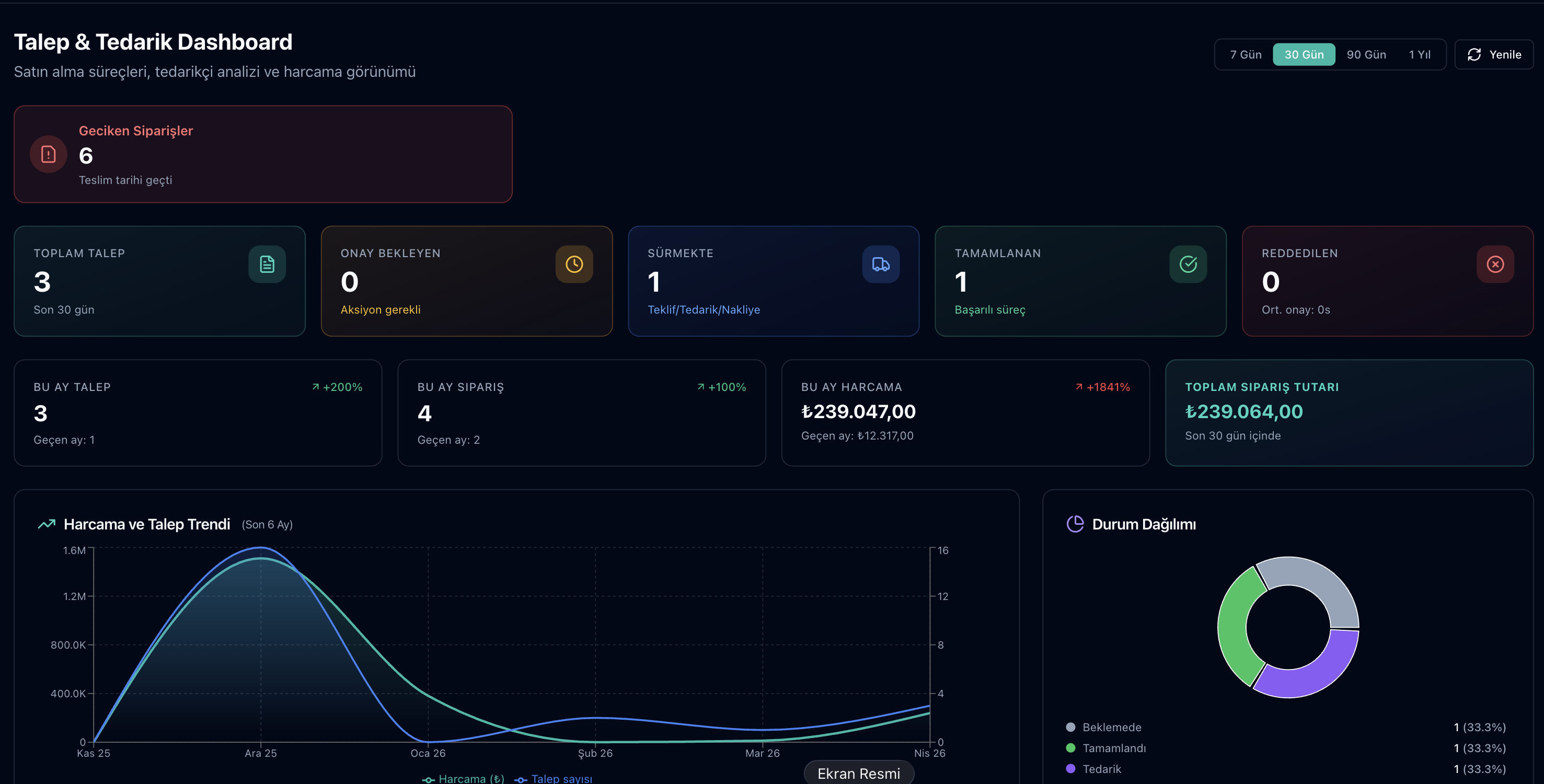
The Parsek Procurement (Talep & Tedarik) module follows material and service requests from opening to goods receipt: supplier quotes are collected and compared, the request is approved under the approval rules your company defines, an order is created from the selected quote, and received materials go into stock.
Verbal Requests Get Lost
A request passed on by phone is forgotten, materials arrive late and the site waits. In Parsek, every request is numbered (SAT-year-sequence) and moves forward with a record of who opened it, who approved it and which quote was selected.
Key Features
57 Request Types
Rebar / steel, ready-mix concrete, formwork / scaffolding, heavy machinery, PPE, transport, subcontractor, software / licence, fuel and more. For service types, a free-text name is entered without picking a stock item.
Single and Multi-Line Requests
Requests have one or several lines; urgency (low, normal, high), need date, description and an attachment are added, and the request can be linked to a project or work order. Material needs of a production order can also be turned into a request.
Quote Collection and Invitations
Quotes are entered manually, or a quote invitation is e-mailed to the supplier, who enters price, delivery time and VAT from the link without logging in. Foreign-currency quotes are stored with their exchange rate.
Comparison and Purchase History
Quotes are shown side by side line by line, with the lowest unit price per line highlighted. The request detail shows past purchases of the material: average, lowest and highest price and the last price per supplier.
Approval Rules
A company administrator defines rules with 1–5 steps by amount range under Onaylar › Onay Kuralları; a role can be attached to each step. Without a rule, a single approval step applies.
Direct Supplier
A direct procurement mode with a known supplier, without collecting quotes; the request still goes through approval.
Order, PDF and E-mail
For an approved request, a purchase order is created from the selected quote; the order PDF can be downloaded or e-mailed to the supplier.
Goods Receipt, Stock and Accounts
Partial deliveries and quality status are recorded; a delivery rejected for quality is not posted to stock. Received quantities enter stock with unit conversion and a provisional payable is posted to the supplier account; when the incoming e-invoice is linked to the order, this payable is closed.
Procurement Workflow
Try this free for 14 days. No credit card required.
Try Free →1. Open the request
In the app, enter type, lines, quantity and urgency under Talep & Tedarik › Talepler.
2. Select a quote and submit
Enter quotes or send invitations, compare and select one; the request goes to the next approver under the approval rule.
3. Order and receive
Create the order from the approved request and send it to the supplier; when the goods arrive, record the delivery under Siparişler and post it to stock.
Request Type Groups
| Group | Number of types | Examples |
|---|---|---|
| Construction materials | 18 | Rebar / steel, cement, ready-mix concrete, formwork / scaffolding, insulation |
| Geotechnical / drilling | 3 | Drilling materials, ground improvement, laboratory materials |
| Equipment and vehicles | 6 | Heavy machinery, spare parts, rental, tyres / batteries |
| Labour and services | 10 | Subcontractor, transport, maintenance / repair, calibration |
| Safety and PPE | 3 | PPE, fire / emergency, first aid |
| Office and IT | 8 | IT hardware, software / licence, stationery |
| Consumables and operations | 8 | Fuel, consumables, food, energy, insurance |
| Other | 1 | Other |
Frequently Asked Questions
How many request types are there?
The request form offers 57 ready-made types, from construction materials to services, office and operating expenses. “Diğer” (other) is used for anything not on the list.
Who sets the approval limits?
The company administrator. On the Onay Kuralları screen, an amount range (lower and upper limit, TRY) and 1–5 approval steps are defined and roles attached to steps. The rule whose range contains the selected quote’s TRY amount applies; approval by the company administrator completes the remaining steps.
Can I approve my own request?
No. Nobody except the company administrator can approve a request they opened, and the same person cannot approve two steps of one request. Several requests can be approved together on the Onay Bekleyenler screen.
Are there templates for recurring purchases?
Yes. Under Tekrarlayan Talepler, weekly, bi-weekly, monthly, quarterly, half-yearly or yearly templates are defined; when a template is due, a request is opened automatically each morning, or it can be run immediately.
Is supplier performance tracked?
On the supplier card, a 1–5 rating linked to one of that supplier’s orders is recorded and the average is shown.
Is the incoming invoice matched to the order?
Yes. The incoming e-invoice is linked to the same supplier’s order; the provisional payable posted at delivery is closed, so the same purchase is not posted to the supplier account twice.
Every Request Written, Approved and Traceable
Try this free for 14 days. No credit card required.
Try Free →Request, quote, approval, order and goods receipt in one chain of records.